Turn your Clover shifts into payroll-ready reports in under 5 minutes.
No spreadsheets. No manual cleanup. Just clean exports ready for ADP, Gusto, QuickBooks, Paychex, or your accountant.
Employee ID,Employee Name,Custom ID,
1001,Martinez Ana,,14-Feb-2026,07:02:33 AM,
14-Feb-2026,03:15:01 PM,8.21
1001,Martinez Ana,,14-Feb-2026,11:58:00 PM,
15-Feb-2026,07:01:22 AM,7.06
// forgot to clock out?
1003,Johnson Kea,,14-Feb-2026,06:55:12 AM
... 180 more rows of this mess
| Employee | Total | Regular | OT |
|---|---|---|---|
| Martinez, Ana | 38.45 | 32.00 | 6.45 |
| Johnson, Kea | 42.12 | 40.00 | 2.12 |
| Lee, Sarah | 24.00 | 24.00 | - |
How it works
Three steps. Under five minutes.
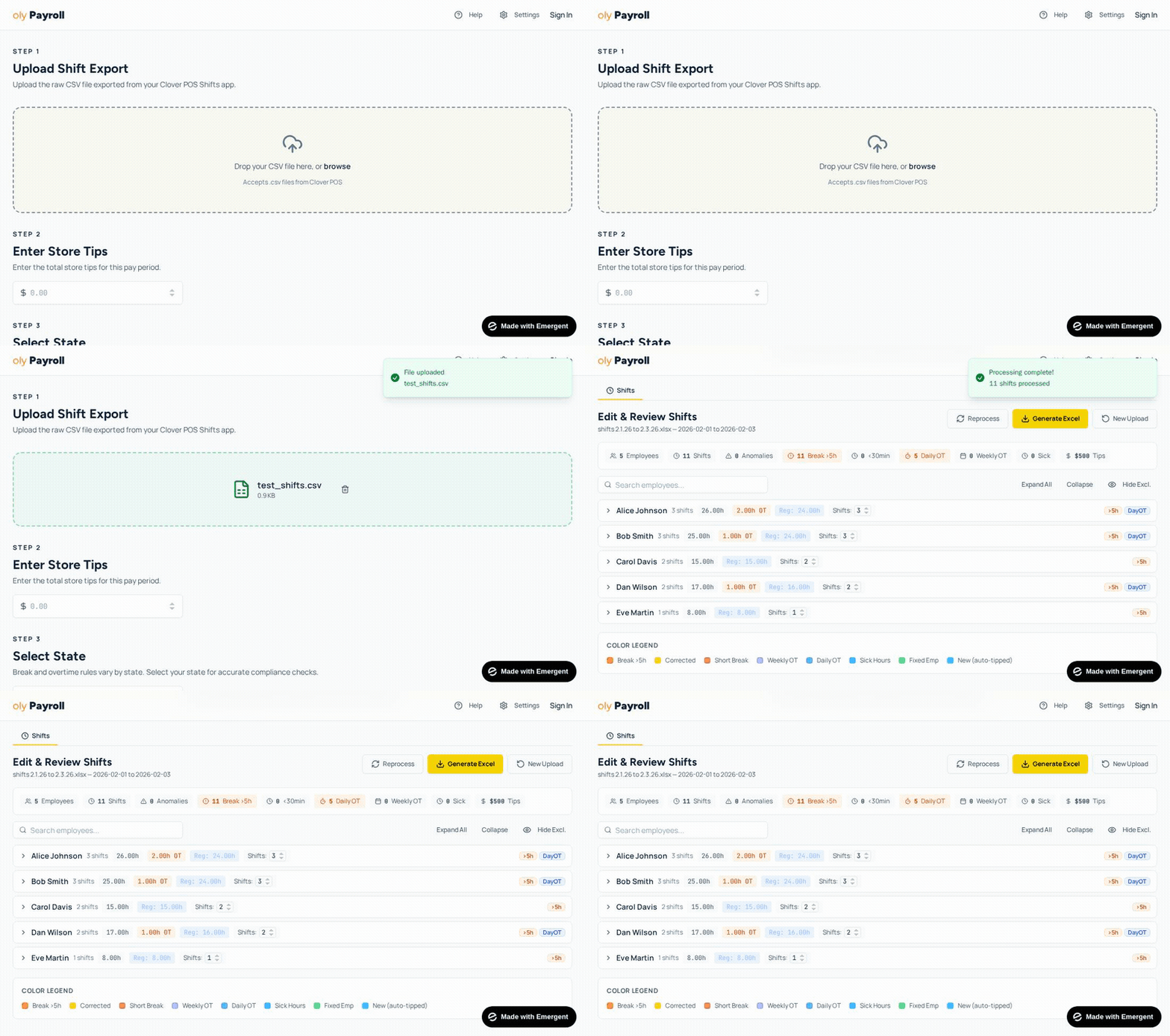
Upload your CSV
Export shifts from Clover and drag the file here. That's it.
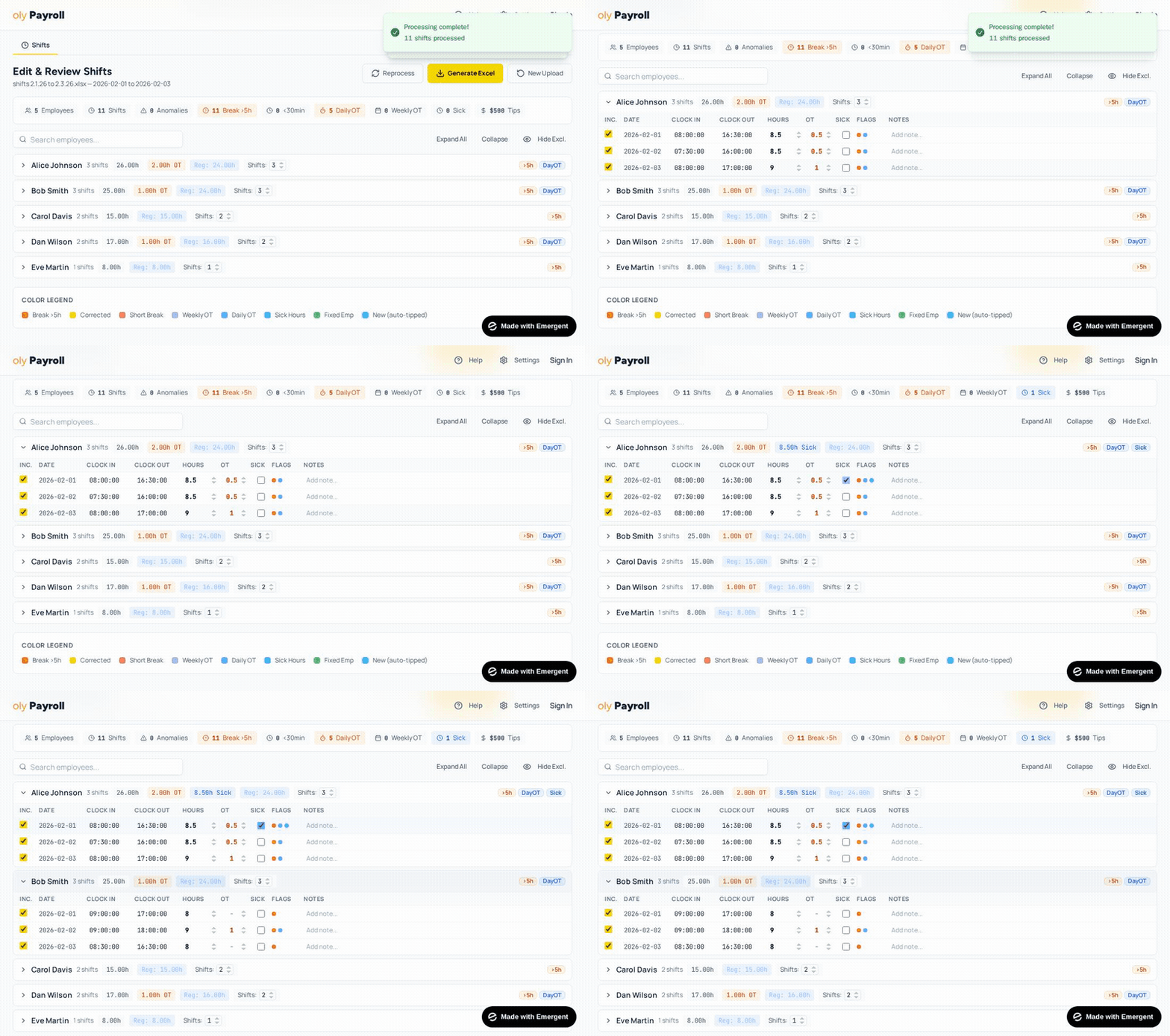
We clean it up
Overtime calculated. Break violations flagged. Clock-out errors fixed automatically.
Download your report
Get a formatted Excel file ready for ADP, Gusto, QuickBooks, Paychex, or your accountant.
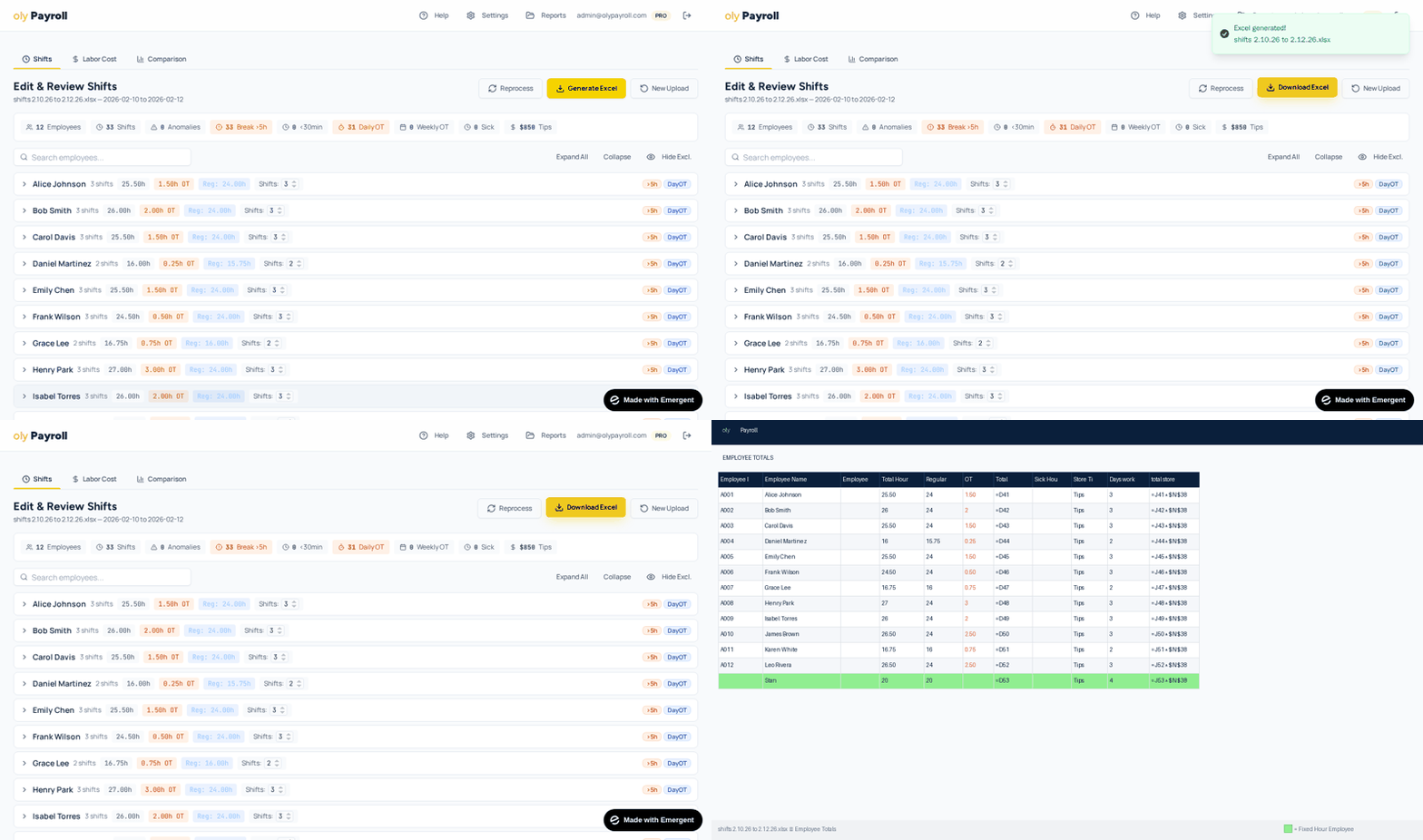
See it in action.
Why oly Payroll
This pays for itself in one run.
Manual payroll prep takes 45-60 minutes. oly Payroll does it in 30 seconds. Even at $19/month, you're paying less than the cost of 15 minutes of your time.
Time comparison
Manual prep
~45 min
oly Payroll
~30 sec
Built for real businesses
“I got tired of the spreadsheet nightmare, so I built this.”
Built by a business owner using Clover daily. We know the pain because we lived it. oly Payroll was made to solve a real problem, not check a feature box.

Pricing
Cut your Clover payroll prep time by 50-80%
Your first payroll run is 100% free. No signup required.
Pay as you go
Best for occasional use or trying it out
- Full payroll processing
- Clean export files
- Overtime calculations
- Sick hours tracking
Unlimited
Best for weekly payroll users
Everything in Pay As You Go, plus:
- Unlimited payroll runs
- Save & access past reports
- Custom employee & tip settings
- Fixed hour employee management
- Labor cost tracking & department analytics
- Historical report comparison
- Priority support
Most Clover businesses choose this
White-Glove
We do the upload and produce the finished report for you
Everything in Unlimited, plus:
- We handle the CSV upload for you
- Reviewed & verified report
- Delivered to your inbox weekly
- Dedicated account support
No contracts. Cancel anytime. Secure data handling.
Compare plans
| Feature | Free | Pay As You Go | Unlimited |
|---|---|---|---|
| Process Clover CSVs | |||
| Overtime calculations | |||
| Break violation flagging | |||
| Excel download | 1 free | ||
| Tip distribution | |||
| Past report history | — | — | |
| Custom employee settings | — | — | |
| Labor cost tracking | — | — | |
| Historical comparison | — | — | |
| Fixed hour employees | — | — | |
| Priority support | — | — |
White-Glove Payroll Service
$99/month — We handle everything for you
Set us up with bookkeeper credentials in your Clover account, and we'll deliver a reviewed, payroll-ready report straight to your inbox every week. No software to learn. No buttons to click.
FAQ
Common questions
How does oly Payroll work with Clover POS?
Is oly Payroll compatible with ADP, Gusto, QuickBooks, and Paychex?
How much does oly Payroll cost?
Does oly Payroll calculate overtime automatically?
Do I need to create an account to try it?
Stop spending your time on payroll prep.
Upload your Clover shifts and get a clean, payroll-ready report in under 5 minutes.
No signup required for your first run. No credit card needed.